
Keep or Toss vs. other ways to sort photos and files.
Which way of sorting a big pile is right for you? A fair look at four approaches, so you can pick the one that fits how you actually want to work.
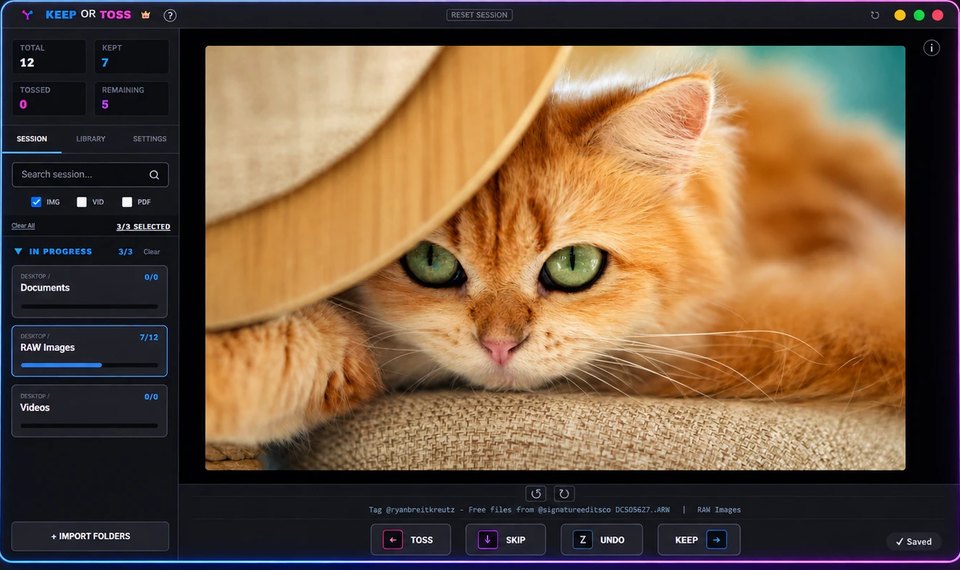
No account needed. Your files stay on your computer. Keep or Toss runs on Windows and Mac.
What it costs to sort a big pile.
Prices checked October 2026 on each vendor’s own pricing page.
| Keep or Toss | Automatic scoring tools | Photo managers and editors | |
|---|---|---|---|
| How you pay | One payment. Yours to keep. | Monthly subscription | Monthly subscription |
| Price | $4.99, $14.99 or $19.99 | From $14.99 a month billed annually ($180 a year), up to $64.99 a month ($780 a year) | $11.99 to $19.99 a month on an annual plan ($144 to $240 a year) |
| Cost over 3 years | $19.99 at most | $540 to $2,340 | $432 to $720 |
| Stop paying | Nothing to cancel. The app keeps working. | Cancel and you lose access | Cancel and you lose access |
| Who decides | You, one file at a time | The tool scores your files, you review | You, inside a full library |
Keep or Toss also lets you file as you go — up to seven send-to folders of your own, by key or click, as part of the same pass.
These tools do different jobs. If you want files scored for you or a full editing library, they are built for that. If you want to get through a pile and decide, Keep or Toss costs less over three years than the other options in the table.
Competitor prices are published list prices for annual plans in USD and change; check the vendor before buying.
Which kind of tool fits your job?
| Your job | Best fit | Why |
|---|---|---|
| Go through a pile one file at a time and decide keep or toss | Keep or Toss | Every file is shown to you, one at a time. Keep, toss, skip or undo, by keyboard or click. |
| File as you go into a few folders you choose | Keep or Toss | Send-to folders (up to 7) let you keep a file and file it in the same step. |
| Rank a big shoot by technical quality | Automatic scoring tools | They score every frame for you, so you start from a ranked list. |
| Move files into folders by rule (date, type, name) | Rule-based sorters | Set the rule once and it runs on the whole pile with no decisions from you. |
| Browse, tag, rate and edit a library for the long term | File browsers and photo managers | Built for organizing and editing what you already decided to keep. |
Most people use more than one. Triage the pile with Keep or Toss first, then hand what’s left to the tool that fits.
Best for a fast first pass.
Good when you want quick suggestions on a huge batch and plan to review them yourself.
Best for files with a clear pattern.
Good for sorting by date or file type when every file genuinely fits the same rule.
Best when you already know your system.
Familiar, flexible, and already on your computer — good for occasional light tidying.
Best for deciding, file by file.
Good when you want to see every photo, video, and PDF and make the actual call yourself.
You stay in charge of every decision.
One file at a time, keep or toss or send it on — nothing is scored or filtered for you. Every decision can be undone during the session, and the session ends with an empty queue instead of a pile still waiting for review. One-time price, and your files never leave your computer.

These approaches aren’t mutually exclusive.
A rule-based sorter can group a backlog by date first, then Keep or Toss handles the actual keep-or-toss decisions inside each group. Browse for what you vaguely remember, then make it official in Keep or Toss, one file at a time.
A tossed file moves to a folder named .KeepOrToss_deleted inside the same folder — nothing leaves your computer, and nothing is gone until you empty it yourself.


Frequently asked
Is it a one-time price?
Yes. Keep or Toss is a one-time purchase, from $4.99. There is no subscription.
Does it delete my files?
No. A tossed file moves to a folder named .KeepOrToss_deleted inside the same folder. It stays there until you empty it yourself.
Which file types does it handle?
Images, video and PDFs are three categories: Essential unlocks one, Plus two, Pro all three. RAW formats (ARW, CR2, CR3, NEF, DNG, RAF, ORF) are included on Pro.
Do I need an account?
No account, and no subscription — it’s a one-time purchase.
Which operating system does it run on?
Windows, and macOS 11 or later on Apple Silicon Macs. Intel Macs are not supported.