
Decide in one keystroke.
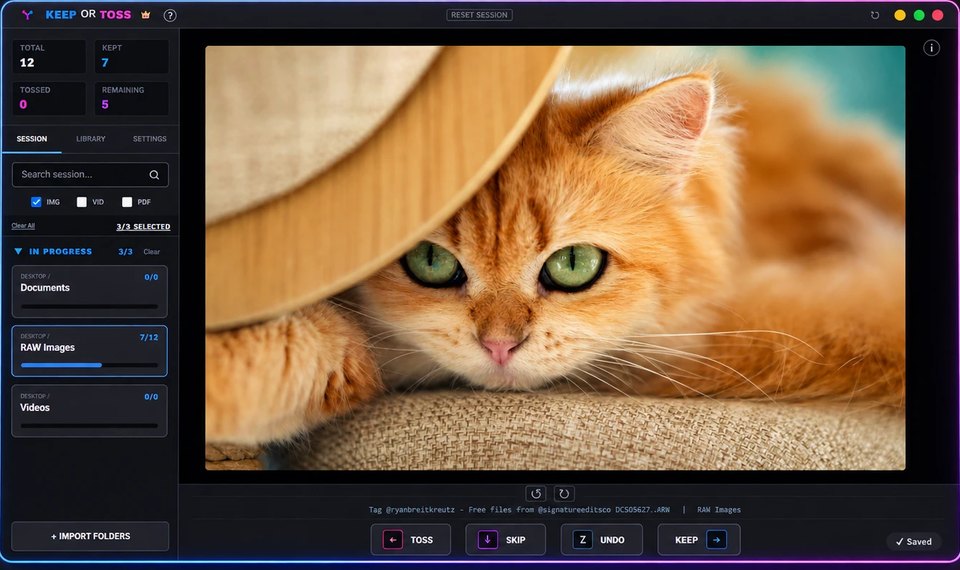
Your Downloads folder has 4,000 files. You’re not going to sort them by hand. Keep or Toss puts one file on screen at a time and asks you a single question.
Folder grids are where sorting goes to die.
You open the folder. Four thousand thumbnails load. You scroll for a minute, select nine files, feel nothing change, and close the window. That backlog is now three years old.
The problem isn’t discipline. A grid asks you to compare everything against everything before you can act. That’s an unbounded task, and your brain correctly refuses to start it.
One file, one question, no comparison. That’s a task you can finish.
Nothing between you and the next file.
No dialogs while you’re deciding. No confirmations. No mouse. The next file is already decoded and waiting before you’ve decided on this one, so the queue moves as fast as you do.
A third option, for files that go somewhere specific.
Not everything is a simple keep or toss. Assign up to five folders of your own — the archive drive, a client-delivery folder, wherever — each to its own key. Press it while triaging and the file moves there immediately. It counts as a keep, so your progress still moves forward.
Included in every tier — Essential, Plus, and Pro — with an active license. A folder can’t be both an import source and a send-to folder; Keep or Toss explains why if you try.

Nothing is ever permanently deleted.
Toss doesn’t delete. It moves the file into a hidden .KeepOrToss_deleted folder inside the same folder you’re triaging, structure intact. Browse it anytime from the Library tab — double-click to open it in your file explorer. Empty it yourself, whenever you’re ready, or never.
Nothing is ever overwritten, either. A toss, a send, or an undo that would collide with a file that already has that name saves the incoming one as name_1.ext instead, with a notice — never silently replaced. And Undo never guesses: if a file already left its folder on its own before you pressed Undo, it says so and clears that entry; if the destination drive is simply offline, it keeps the entry and asks you to reconnect.
Removing a folder can restore every tossed and sent file to where it started. If a few can’t come back — a drive that’s offline, a file that’s already gone — it lists exactly which ones stay put, and why.
Every decision is undoable, all the way back to the start of the session. Speed only works if mistakes are cheap.
STRUCTURE PRESERVED
NOTHING IS EVER OVERWRITTEN
UNDO AVAILABLE FOR THE WHOLE SESSION
Opens what your camera and your drive actually produce.
RAW files render natively at full resolution. No conversion step, no proxy generation, no waiting on a thumbnail cache.
Close it mid-session. It doesn’t care.
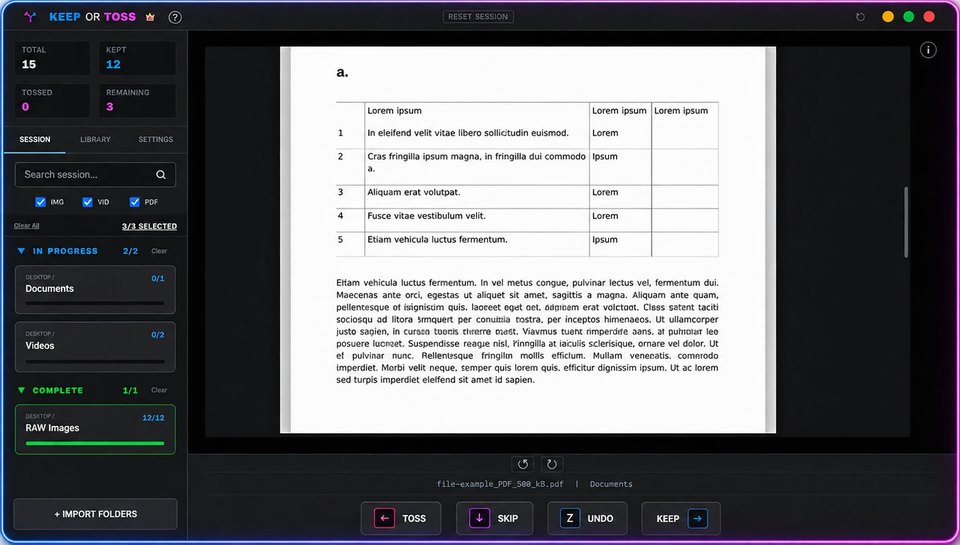
Restarts, sleep, crashes, an external drive yanked out at the wrong moment. Progress is written as you go, so reopening puts you on the exact file you were looking at.
Every drive, one queue.
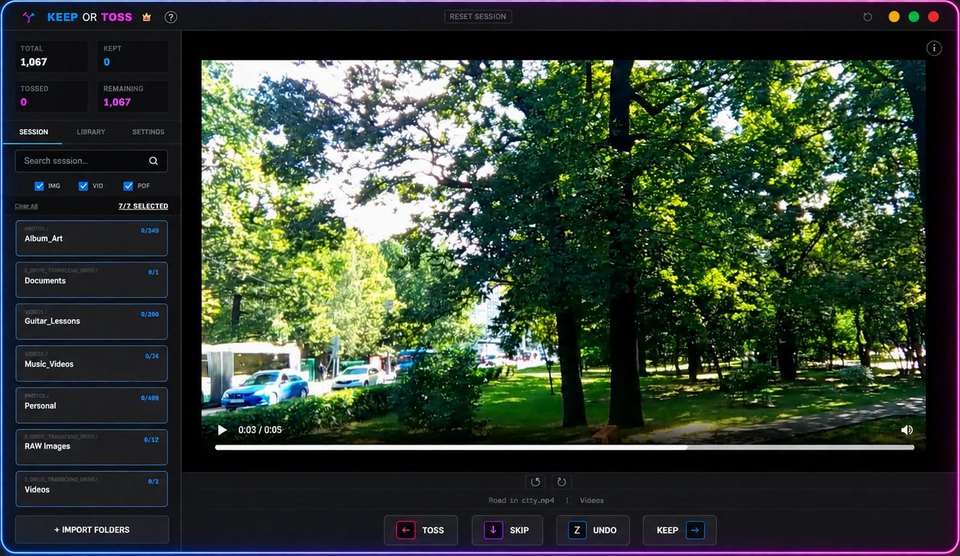
Add folders from the internal disk, the archive drive, and the SD card still in the reader. They become a single continuous queue instead of five separate afternoons.
A couple more, so you can see for yourself.

Full window, nothing cropped

Same for RAW files
Five steps. That’s the whole thing.
- Point it at a folder. Images, video, PDFs, or documents — pick whatever’s been piling up.
- One file appears at a time. No grid, no thumbnails to scroll past, no wall of similar-looking files to scan before deciding where to start.
- Keep, toss, or send it somewhere specific. Arrow keys for keep and toss; assign any folder its own key to send a file straight there instead — it still counts as a keep. Then the next file appears automatically. No mouse, no menus.
- Nothing is deleted until you say so. Tossed files move to a hidden folder inside the same directory — out of your way, not gone. Empty it whenever you’re actually sure.
- Stop anytime, pick up later. Sort ten files or ten thousand — progress saves as you go, so there’s nothing to finish in one sitting.
If a folder’s been piling up, this is for you.
- Photographers & video editors — shoots and exports scattered across drives.
- Document cleanup — a Downloads folder full of PDFs meant to sort “later.”
- Data annotation — cull a folder to keep/discard, or rank it straight into class folders, before labelling.
- General organising — tidy a messy library, big or small.
One file. One decision. Repeat.
Every other way to do this — a file browser, a photo manager, a cleanup app with AI-suggested duplicates — asks you to look at many files at once and figure out where to begin. That’s the actual reason the folder never gets touched.
A small, focused tool.
Keep or Toss started because sorting years of unsorted photos and downloads by hand never actually happened. Folder-grid browsing was too slow to make it through anything — so this fixes exactly that, nothing more.
One-time purchase. No subscription, ever.
Three tiers, each a single purchase. Buy once, use it for good — no recurring fee, no paid updates.
FAQ
Is Keep or Toss a subscription?
No. Keep or Toss is sold as a one-time purchase. There are no recurring subscription fees.
What happens when I toss a file?
Toss moves the file into a hidden .KeepOrToss_deleted folder inside the same folder you’re triaging — nothing leaves your computer, and the structure stays intact.
Does Keep or Toss upload my files?
No. File processing happens locally on your computer.
The backlog isn’t going to shrink on its own.
Download Keep or Toss and see pricing above — one-time purchase, no subscription.